How to allow OAI-SearchBot in robots.txt to appear in ChatGPT Search
OpenAI separates three crawlers with distinct functions. Understanding who does what is what determines whether your site shows up in ChatGPT's answers without giving up control over model training.

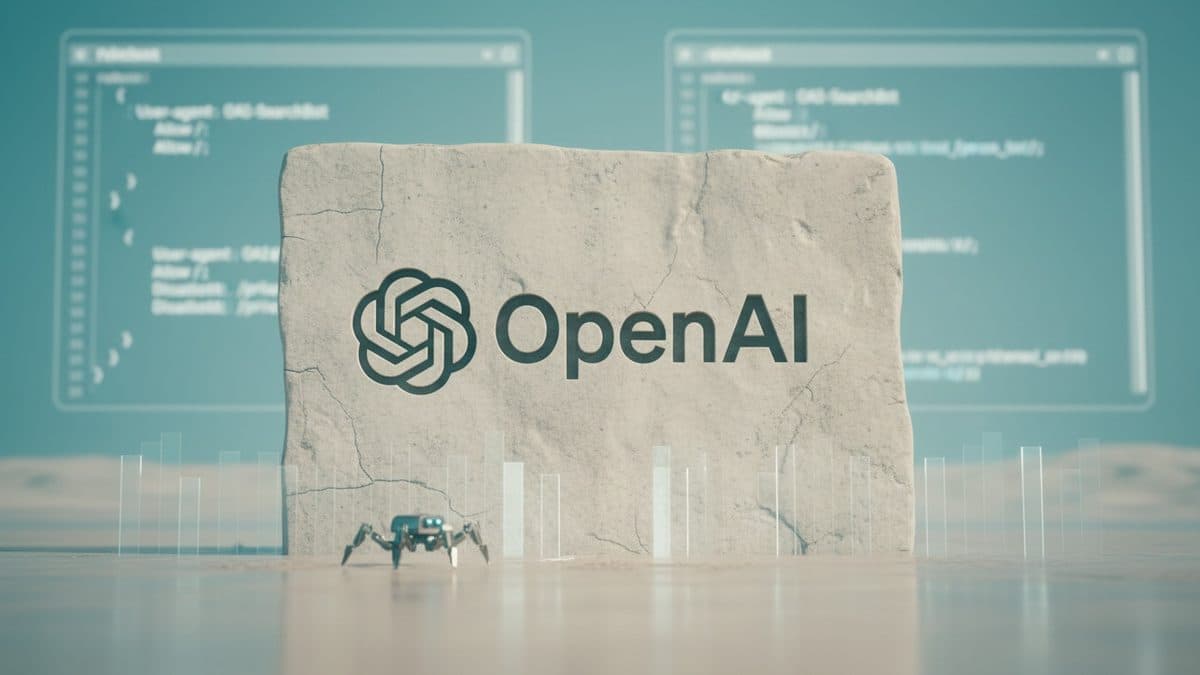
Search is no longer just Google. When a ChatGPT user turns on web search and gets an answer with links and citations, the one deciding whether a Brazilian site makes it into that answer is a specific OpenAI crawler: OAI-SearchBot. And, contrary to what many people configured back in 2023 when they blocked anything with "GPT" in the name, allowing search access doesn't mean handing your content over to model training. These are separate matters, and OpenAI's crawler documentation makes that explicit.
Three bots, three purposes
The confusion starts because OpenAI uses more than one agent, and blocking the wrong one has different consequences. According to the documentation itself, each rule in robots.txt is independent: you can allow one and block another without side effects.
| User-agent | What it's for | What happens if you block it |
|---|---|---|
OAI-SearchBot | Index the site so it appears in ChatGPT's search answers | It disappears from search answers (but may still appear as a navigational link) |
GPTBot | Collect content that may be used to train foundation models | Your content isn't used for training |
ChatGPT-User | Visits triggered by a user action (a question that makes ChatGPT open a page, GPT Actions) | robots.txt rules may not apply, since the action originates from the user |
The central point: OAI-SearchBot is what matters to anyone who wants traffic and visibility in generative answers. GPTBot is about training, a separate editorial and legal decision. And ChatGPT-User doesn't determine whether you show up in search, so blocking it thinking you're controlling indexing won't help. The documentation is direct: "use OAI-SearchBot in robots.txt to manage search opt-outs and automatic crawling".
There's also a fourth agent, OAI-AdsBot, which only visits pages submitted as ads on ChatGPT and doesn't use the data for training, but it falls outside the scope of anyone thinking about organic SEO.
The common mistake: blocking search along with training
Many Brazilian sites, riding the 2023 wave, added a generic Disallow for any OpenAI bot. The side effect is the worst of both worlds for anyone who cares about discovery: you blocked training (which may have been the intent) but also took yourself out of ChatGPT's search answers, which today is a real traffic channel.
If the goal is to appear in ChatGPT search without feeding training, the configuration is this:
# Appear in ChatGPT's search answers
User-agent: OAI-SearchBot
Allow: /

# Don't use content to train foundation models
User-agent: GPTBot
Disallow: /
If you don't care about blocking training, just allow both. The documentation notes that, when both are allowed, OpenAI may reuse a single crawl for both purposes, avoiding a duplicate visit, a detail that helps anyone worried about server load.
None of this affects Google
It's worth reinforcing this because it's the most common question: changing OpenAI's rules does not interfere with traditional indexing. Googlebot, Bingbot, and the others have their own User-agent blocks. A Disallow: / for GPTBot says nothing to Google. Best practice is to keep each crawler in its own block, without a global Disallow that catches everyone by mistake.
A complete robots.txt designed for both GEO and SEO would look like this:
User-agent: Googlebot
Allow: /

User-agent: OAI-SearchBot
Allow: /

User-agent: GPTBot
Disallow: /

Sitemap: https://seusite.com.br/sitemap.xml
Allowing it in robots.txt isn't enough: the IPs
Here's an infrastructure detail that often gets overlooked. OpenAI recommends that, besides allowing OAI-SearchBot in robots.txt, you should allow requests coming from its published IP ranges. Many Brazilian sites sit behind Cloudflare, WAFs, or firewall rules that block automated agents by default, and in that case the crawler never even gets to read your allowed robots.txt.
The official ranges are at https://openai.com/searchbot.json, and it's worth adding them to your CDN or firewall's allowlist. Each agent has its own IP file: gptbot.json, chatgpt-user.json, and adsbot.json.
To tell them apart in logs, OAI-SearchBot identifies itself with a string similar to this one (the version number varies):
Mozilla/5.0 (Macintosh; Intel Mac OS X 10_15_7) AppleWebKit/537.36 (KHTML, like Gecko) Chrome/131.0.0.0 Safari/537.36; compatible; OAI-SearchBot/1.4; +https://openai.com/searchbotWhen it specifically fetches robots.txt, OpenAI adds a robots.txt marker to the string, which makes it easier to separate those requests from the rest in logs, useful when the log doesn't record the path.
How to measure whether it worked
SEO is engineering: every change needs verification. Some concrete steps:
- Propagation time: the documentation warns it can take about 24 hours from the
robots.txtupdate until OpenAI's systems adjust. Don't expect an immediate result. - Server logs: filter by the
OAI-SearchBotuser-agent and confirm requests are arriving with a 200 status, not a 403 from your WAF. - Real product test: ask ChatGPT questions with search enabled about topics your site covers and see whether it appears among the cited sources. That's the end-to-end validation.
- Cross-checking with the firewall: if the logs don't show
OAI-SearchBot, the problem is almost always edge blocking (CDN/WAF), notrobots.txt.
When NOT to allow it
Allowing OAI-SearchBot is the recommended default for most content, media, and e-commerce sites that live on discovery. But there are cases where blocking it makes sense: paid content behind a paywall, logged-in areas, sensitive material, or sites whose business model depends on users reaching the full page (rather than an AI-generated summary). In those cases, a Disallow for OAI-SearchBot is a legitimate business decision, as long as it's made aware of what's lost: presence in ChatGPT's search answers, dropping down to just a navigational link.
The practical takeaway is not to decide on autopilot. Separating the three agents, understanding that search and training are distinct choices, and measuring before and after in the logs is what distinguishes a GEO configuration built with engineering rigor from a generic Disallow pasted in without thinking.
Translated from the Brazilian Portuguese original · Read the original

Google details the technical requirements to appear in AI Overviews and AI Mode
Search Central documentation, updated on December 31, 2025, brings together the technical criteria for a page to become a source for AI-generated answers in Search.