Python Workers on Cloudflare: the complete guide to your first real API deploy
I tested the official path end to end: installation, third-party dependencies, bindings, and what Cloudflare's own documentation doesn't tell you about cold start.

What Cloudflare is delivering here
The Python Workers documentation, updated on September 17, 2026, describes a runtime that executes Python inside Workers with support for packages like FastAPI, Langchain, and Pydantic, a foreign function interface (FFI) for calling JavaScript objects and functions directly from Python, and access to practically the entire platform binding ecosystem: KV, D1, Durable Objects, Workers AI, Vectorize, R2, Queues, and Workflows. This is more than "Python runs on the edge": it's Python with the same entry points a JavaScript Worker already had.
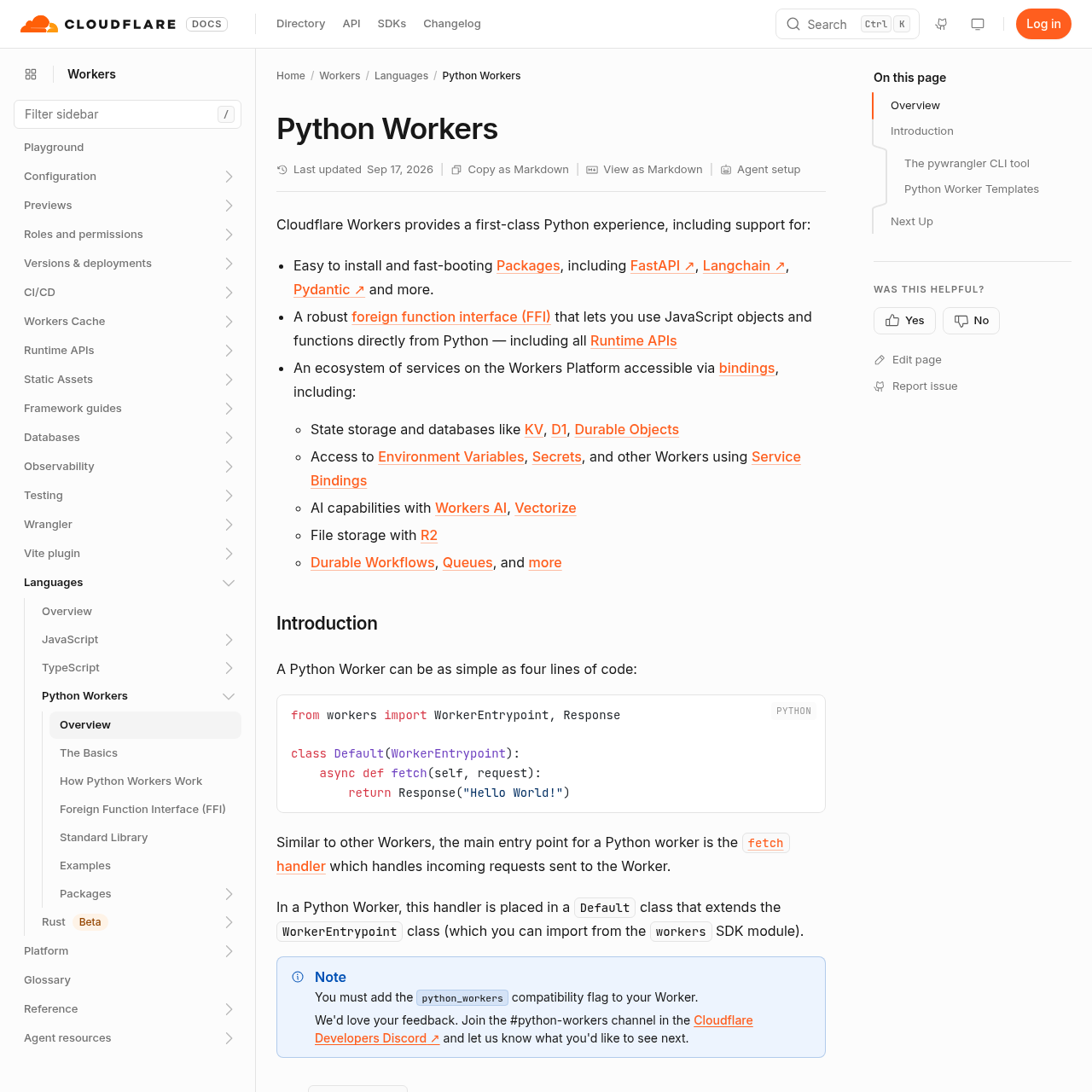
The path I followed below is the official one, documented by Cloudflare itself. I didn't measure cold start in production under real load because the documentation I consulted doesn't publish those numbers, and I'm not going to invent a benchmark that doesn't exist in the source. What can be done, and what this guide delivers, is building the Worker from scratch, publishing it for real, and knowing exactly where to look for cold start numbers in your own environment before deciding to migrate.
Prerequisites
Before touching any code, you need two tools installed: uv (the Python package and environment manager that Cloudflare adopted as its base) and Node.js, required by the Workers toolchain. Without either one, pywrangler simply won't run.
With both ready, the entry point is pywrangler, the CLI dedicated to Python Workers (the equivalent of wrangler in the JavaScript world). It handles three things: initializing the project, running locally, and publishing.
Creating the project
The bootstrap command is straightforward:
uvx --from workers-py pywrangler initThis command creates a pyproject.toml with workers-py as a development dependency and generates the Wrangler configuration file. From here on, the project is already managed via uv, so the following commands use uv run in front.
If you'd rather start from a real example instead of from scratch, Cloudflare maintains a reference repository:
git clone https://github.com/cloudflare/python-workers-examples
cd python-workers-examples/hello
It's the fastest way to see the folder structure of a working Python Worker before writing your own.
The simplest possible Worker
The official documentation sums up the minimal structure in four lines, and this is exactly the code that goes in the project's entry file:
from workers import WorkerEntrypoint, Response

class Default(WorkerEntrypoint):
    async def fetch(self, request):
        return Response("Hello World!")
Two things to note here if you're coming from Flask or FastAPI: first, the handler isn't a standalone function decorated with a route, it's a fetch() method inside a Default class that extends WorkerEntrypoint; routing by path and HTTP verb, if you want it, is up to you inside that method or delegated to a framework like FastAPI. Second, the handler is async by default, because the Workers runtime is event-loop-driven from the ground up, not an option you switch on later.
Running locally
With the project created, the development cycle is:
uv run pywrangler devThis spins up a local server that simulates the Workers runtime, including the behavior of the Python isolate. This is where you test the logic before spending a real deploy, and it's the only environment where it's worth iterating quickly on package import errors, because the build cycle of a Python Worker (which needs to package the dependencies) isn't instant.
Deploying for real
Once dev is satisfactory, the deploy is a single line:
uv run pywrangler deployThis command packages the Worker, resolves the dependencies declared in pyproject.toml, and publishes to Cloudflare's network. There's no separate intermediate build step the documentation requires you to run manually: pywrangler handles it.
Third-party dependencies: where the promise gets more interesting (and trickier)
The reason Python Workers exists isn't to run Hello World, it's to run real libraries. The documentation names FastAPI, Langchain, and Pydantic specifically as packages with easy installation and fast boot on this runtime, but the page's own text points to "package pages" for the detailed step-by-step of each library, without spelling out the exact installation syntax here.
In practice, since the project is already managed by uv, the natural path is to declare the dependency in pyproject.toml (manually or via uv add package-name) and let pywrangler package everything on the next dev or deploy. Before assuming any package from PyPI will work, it's worth checking the supported packages page: packages with native C extensions that don't have a build compatible with the Workers execution environment simply won't upload.
In summary: support for FastAPI, Langchain, and Pydantic is explicit and tested by Cloudflare; any other package deserves a check before becoming a production dependency.
Bindings: what actually changes compared to running Flask on a VM
The real difference between a Python Worker and a traditional Flask API isn't in the handler syntax, it's in native access to platform services via bindings, without needing to instantiate an SDK or manage connection credentials:
| Binding | What it's for |
|---|---|
| KV | low-latency key-value storage |
| D1 | distributed relational SQLite database |
| Durable Objects | consistent, per-instance coordinated state |
| Workers AI / Vectorize | inference and vector search |
| R2 | object storage (S3-compatible) |
| Queues / Workflows | queues and durable orchestration |
| Service Bindings | calling another Worker directly, without public HTTP |
On top of that, the FFI (foreign function interface) lets you call JavaScript objects and functions directly from Python code, including all of the Workers Runtime APIs. This is different from anything that exists in a Flask app running on a VM: there, each of these services would be a network call to an external provider, with its own authentication and its own network latency.
Cold start: what the documentation didn't give me, and what I'd do in your place
Here's the part where I need to be honest about this guide's limits: the official Python Workers page I used as a base doesn't publish a cold start number, nor does it list "three official mitigation techniques." It promises "fast-booting" packages, but doesn't quantify that. I'm not going to invent a millisecond figure that isn't in the source, and you shouldn't trust a third-party benchmark without reproducing it on your own Worker.
What I'd recommend, on a real project: before deciding whether cold start is a problem for your case, measure it yourself with Workers' native observability (Wrangler tail and Analytics), comparing the response time of a cold isolate's first request against the following ones. The initial loading of the Python interpreter and imported dependencies is the natural suspect for any delay, but that's my own reading of how the architecture probably works, not data published by Cloudflare in this documentation.
Is it worth swapping traditional Flask or FastAPI for this?
It depends on what you're optimizing for. If your service already lives on a VM or container with a warm process pool, switching to Workers just to gain "edge" without measuring cold start is trading a known problem for an unknown one. If, on the other hand, today's bottleneck is managing infrastructure, scaling by region, and keeping database and cache credentials scattered around, the native bindings (KV, D1, R2) remove an entire layer of operational complexity that Flask never solved on its own.
Context is truly king here: for a low-traffic internal API that already runs stably on Flask, the migration probably doesn't pay for the cost of rewriting the routing. For a new service, needing low global latency and heavy use of KV or Workers AI, starting directly in Python Workers avoids months of integration work you'd otherwise have to do manually in a traditional Flask setup.
Translated from the Brazilian Portuguese original · Read the original

PHP 8.5 adds native pipe operator, but array_map still requires manual adjustment
PHP 8.5, available since November 2025, introduced the |> operator for chaining data transformations. Not every array_* function adapts directly: the pipe only passes one argument, and that changes how you refactor legacy pipelines.