

DELETE in PostgreSQL doesn't shrink the table: only VACUUM reclaims the space
A test with 2 million rows shows, in numbers, why DELETE keeps the table's physical size unchanged and what actually returns space to disk.

The experiment: 2 million rows, one simple metric
A post published on Planet PostgreSQL on October 13, 2026 presents a direct measurement of something every DBA repeats by rote: a table that loses rows doesn't lose disk space. Instead of leaving the claim unsupported, the author measured it with pg_table_size on a 2-million-row table, running PostgreSQL 18.6 with default settings and autovacuum enabled.
The result: the table took up 137 MB before any changes. After a DELETE FROM b1 WHERE id % 2 = 0 (deleting half the rows), it was still 137 MB. After a VACUUM b1, still 137 MB. Only after VACUUM FULL b1 did it drop to 68 MB. Four steps, a single inflection point.
MVCC under the hood: why DELETE doesn't give back space
The reason lies in the multiversion concurrency control (MVCC) that PostgreSQL uses to isolate transactions. A DELETE doesn't physically erase the row: it marks the row version as dead, but keeps the bytes in place until no running transaction could still need to see them.
That's where VACUUM comes in: it scans the pages, identifies the dead versions, and frees that space for reuse within the table's own file. It doesn't give anything back to the operating system. The exception is the end of the file: if entirely empty pages remain at the tail, VACUUM truncates the file there. Since the test deleted every other row, every page kept half its contents and none ended up empty at the end, so no truncation happened.
VACUUM FULL: the only way to reclaim the space, at a price
VACUUM FULL works in a completely different way: it writes a new copy of the table, containing only the live rows, and discards the old file. That's why the size actually drops (the 68 MB in the test), and also why it costs an ACCESS EXCLUSIVE lock for the entire operation, blocking reads and writes on the table.
| Step | Table size |
|---|---|
| 2M rows, after VACUUM ANALYZE | 137 MB |
| After deleting half the rows | 137 MB |
| After VACUUM | 137 MB |
| After VACUUM FULL | 68 MB |
In practice, this means running VACUUM FULL on a production table without planning trades disk space for a downtime window. Among the items not tested, the source mentions the external pg_repack and the new REPACK command in PostgreSQL 19 as possible alternatives to VACUUM FULL, but doesn't detail how each behaves in terms of locking, and the author makes clear that he tested neither of the two in this experiment.
DELETE vs. TRUNCATE: a difference of order of magnitude, not of detail
To empty an entire table, the source compared an unfiltered DELETE against TRUNCATE on a 1-million-row table. The difference isn't subtle:
| Command | Time | WAL generated |
|---|---|---|
| DELETE FROM d1 (1M rows) | 3.5 s | 125 MB |
| TRUNCATE d1 | 0.05 s | 44 kB |
DELETE touches and logs each row individually in the WAL. TRUNCATE simply assigns the table a new, empty file, without going through row by row. The WAL column matters especially for anyone running replicas or WAL archiving: 125 MB of log is real volume traveling over the network and taking up archive storage, versus 44 kB.
But TRUNCATE isn't a drop-in replacement for an unfiltered DELETE. Three restrictions the article highlights deserve a spot on any schema review checklist:
- It takes an
ACCESS EXCLUSIVElock, more restrictive than that of a regularDELETE; - It doesn't fire
ON DELETEtriggers, which breaks any audit or cascade logic implemented via trigger; - It refuses to run on a table referenced by another table's foreign key, unless both are truncated together or
CASCADEis used.
Fillfactor and HOT updates: the detail that avoids rewriting indexes
The second part of the test measures something less talked about: the effect of fillfactor on updates. When an UPDATE writes a new version of a row, PostgreSQL can avoid touching the indexes if the new version fits on the same page and no indexed column has changed. That's a HOT update (heap-only tuple).
The author updated a non-indexed column on 200,000 rows, three times in a row, comparing the default fillfactor (100, with no free space reserved) against fillfactor 90 (10% free space reserved on each page at load time):
| Configuration | HOT updates | Table after | Index after |
|---|---|---|---|
| fillfactor 100 | 64 of 600,000 | 61 MB | 10.4 MB |
| fillfactor 90 | 127,353 of 600,000 | 47 MB | 9.0 MB |
With full pages, almost no update managed to stay on the same page: just 64 out of 600,000 passes. With 10% free space reserved, about a fifth did, and the table ended up 24% smaller. The author himself admits the share of HOT updates came in lower than expected, because three full passes over all the rows use up the free space much faster than a real workload, where updates are spread out over time and autovacuum has a chance to act between them. He didn't measure that more realistic scenario.
What's left open and what this changes in practice
The author himself lists what he didn't test: autovacuum's behavior running between updates (instead of three consecutive passes), pg_repack or PostgreSQL 19's REPACK as alternatives to VACUUM FULL, and tables with TOAST data, where part of the content lives in a separate table and follows its own bloat rules.
In short, for anyone running Postgres in production, the numbers support three concrete decisions. First, don't expect a table's size to shrink on its own after a data cleanup: it only drops with VACUUM FULL, REPACK, or recreating the table, and all of them come with a lock cost or an external tool. Second, to empty an entire table without preserving trigger-based auditing or foreign key references, TRUNCATE avoids generating disproportionate WAL, but requires checking triggers and FKs beforehand.
Third, on tables with frequent updates to non-indexed columns, it's worth measuring whether lowering fillfactor increases the HOT update rate enough to offset the extra space reserved at initial load, something that depends on the actual write pattern, not on a fixed rule. The code used in the test, run2.py and results2.json, is available in the original post for anyone who wants to reproduce the numbers with their own data load.
Source 1: Planet PostgreSQL (https://postgr.es/p/9xV)
What deleting rows does to a PostgreSQL table | Explain, Measured
13 October 2026 · postgresql
What deleting rows does to a PostgreSQL table
A table that shrinks in rows does not shrink on disk. Everyone who has run PostgreSQL for a while knows this in general. I wanted the actual numbers, because "VACUUM reclaims space" means something narrower than it sounds.
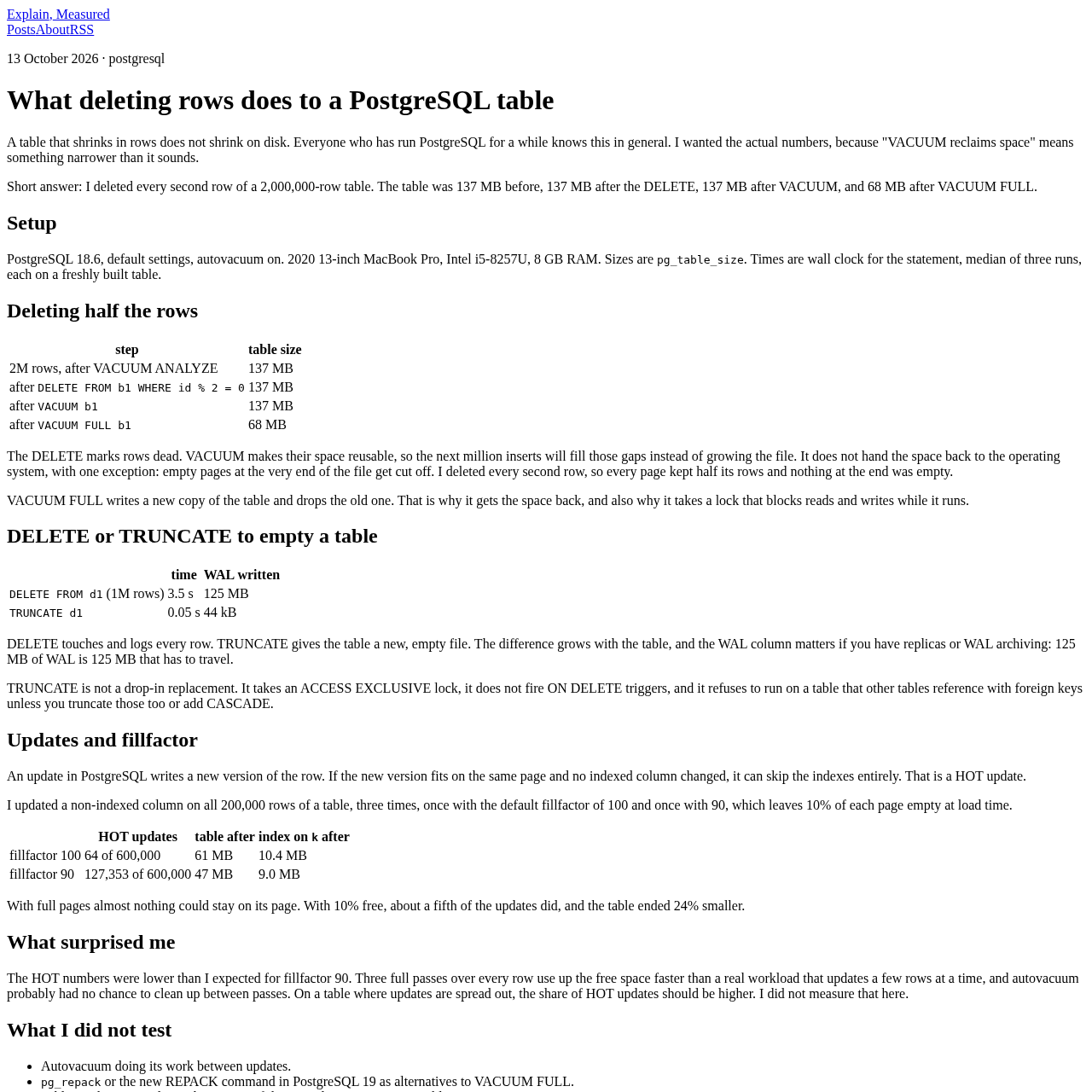
Short answer: I deleted every second row of a 2,000,000-row table. The table was 137 MB before, 137 MB after the DELETE, 137 MB after VACUUM, and 68 MB after VACUUM FULL.
Setup
PostgreSQL 18.6, default settings, autovacuum on. 2020 13-inch MacBook Pro, Intel i5-8257U, 8 GB RAM. Sizes are pg_table_size . Times are wall clock for the statement, median of three runs, each on a freshly built table.
Deleting half the rows
step table size
2M rows, after VACUUM ANALYZE 137 MB
after DELETE FROM b1 WHERE id % 2 = 0 137 MB
after VACUUM b1 137 MB
after VACUUM FULL b1 68 MB
The DELETE marks rows dead. VACUUM makes their space reusable, so the next million inserts will fill those gaps instead of growing the file. It does not hand the space back to the operating system, with one exception: empty pages at the very end of the file get cut off. I deleted every second row, so every page kept half its rows and nothing at the end was empty.
VACUUM FULL writes a new copy of the table and drops the old one. That is why it gets the space back, and also why it takes a lock that blocks reads and writes while it runs.
DELETE or TRUNCATE to empty a table
time WAL written
DELETE FROM d1 (1M rows) 3.5 s 125 MB
TRUNCATE d1 0.05 s 44 kB
DELETE touches and logs every row. TRUNCATE gives the table a new, empty file. The difference grows with the table, and the WAL column matters if you have replicas or WAL archiving: 125 MB of WAL is 125 MB that has to travel.
TRUNCATE is not a drop-in replacement. It takes an ACCESS EXCLUSIVE lock, it does not fire ON DELETE triggers, and it refuses to run on a table that other tables reference with foreign keys unless you truncate those too or add CASCADE.
Updates and fillfactor
An update in PostgreSQL writes a new version of the row. If the new version fits on the same page and no indexed column changed, it can skip the indexes entirely. That is a HOT update.
I updated a non-indexed column on all 200,000 rows of a table, three times, once with the default fillfactor of 100 and once with 90, which leaves 10% of each page empty at load time.
HOT updates table after index on k after
fillfactor 100 64 of 600,000 61 MB 10.4 MB
fillfactor 90 127,353 of 600,000 47 MB 9.0 MB
With full pages almost nothing could stay on its page. With 10% free, about a fifth of the updates did, and the table ended 24% smaller.
What surprised me
The HOT numbers were lower than I expected for fillfactor 90. Three full passes over every row use up the free space faster than a real workload that updates a few rows at a time, and autovacuum probably had no chance to clean up between passes. On a table where updates are spread out, the share of HOT updates should be higher. I did not measure that here.
What I did not test
Autovacuum doing its work between updates. pg_repack or the new REPACK command in PostgreSQL 19 as alternatives to VACUUM FULL. Tables with TOAST data, where some of the space lives in a separate table. Other hardware. Compare the ratios, not the seconds.
Reproduce it
run2.py and results2.json . Sections 5, 6 and 11 of the script.
Translated from the Brazilian Portuguese original · Read the original
PostgreSQL: password_encryption sets the hash for new passwords, it doesn't migrate old ones
A detailed survey of the password_encryption parameter shows that it only decides the algorithm applied to plaintext passwords at the moment of CREATE ROLE or ALTER ROLE, never converts what's already stored in pg_authid, and doesn't take part in authentication itself.

