Script for fast directory navigation using fzf


This article presents a script for making directory navigation faster, continuing the series on reducing cognitive complexity.
It is often necessary to navigate between several directories of one or multiple projects. Remembering paths and locating files becomes unnecessary effort.
One solution is to keep a list of the most recently accessed directories to quickly switch between them. Dave Eddy implemented this idea in his cdstack.
Inspired by this approach, I created my own version, better suited to my way of working.
#!/usr/bin/env bash

CD_STACK_MAX="${CD_STACK_MAX:-15}"
CD_STACK_LAST=""

declare -a _CD_STACK=("$PWD")

_cd_save_env() {
    {
        declare -p _CD_STACK
        declare -p CD_STACK_LAST
    } > ~/.cd_stack_fzf.tmp && \
        mv ~/.cd_stack_fzf.tmp ~/.cd_stack_fzf
}

_cd_load_env() {
    [[ -f ~/.cd_stack_fzf ]] && \
        source ~/.cd_stack_fzf
}

cd() {
    CD_STACK_LAST=${PWD}
    builtin cd "$@" || return "$?"

    _CD_STACK=("$CD_STACK_LAST" "${_CD_STACK[@]}")

    [ "${#_CD_STACK[@]}" -gt "$CD_STACK_MAX" ] && \
        unset '_CD_STACK[-1]'

    _CD_STACK=($(printf "%s\n" "${_CD_STACK[@]}" | \
        awk '!x[$0]++'))

    _cd_save_env
    return 0
}

b() {
    _cd_load_env
    cd "${CD_STACK_LAST}" || return "$?"
    _cd_save_env
}

s() {
    _cd_load_env
    local selected
    local formatted_dirs=()

    for dir in "${_CD_STACK[@]}"; do
        formatted_dirs+=("${dir/#"$HOME"/~}")
    done

    selected=$(printf '%s\n' "${formatted_dirs[@]}" | \
        fzf --prompt=": " \
            --height 40% \
            --layout=reverse)

    [[ -z "$selected" ]] && return 0

    local dir="${selected/#\~/$HOME}"
    cd "$dir" || return "$?"
    return 0
}

_initialize_cd_stack_fzf() {
    _CD_STACK=(
        "/Users/crg"
        "/Users/crg/Projects"
    )
    _cd_load_env
}

_initialize_cd_stack_fzfMy version uses fzf to create a menu, allowing you to type a few characters to select the desired directory. By the way, fzf is a great tool for creating fast menus in shell scripts.
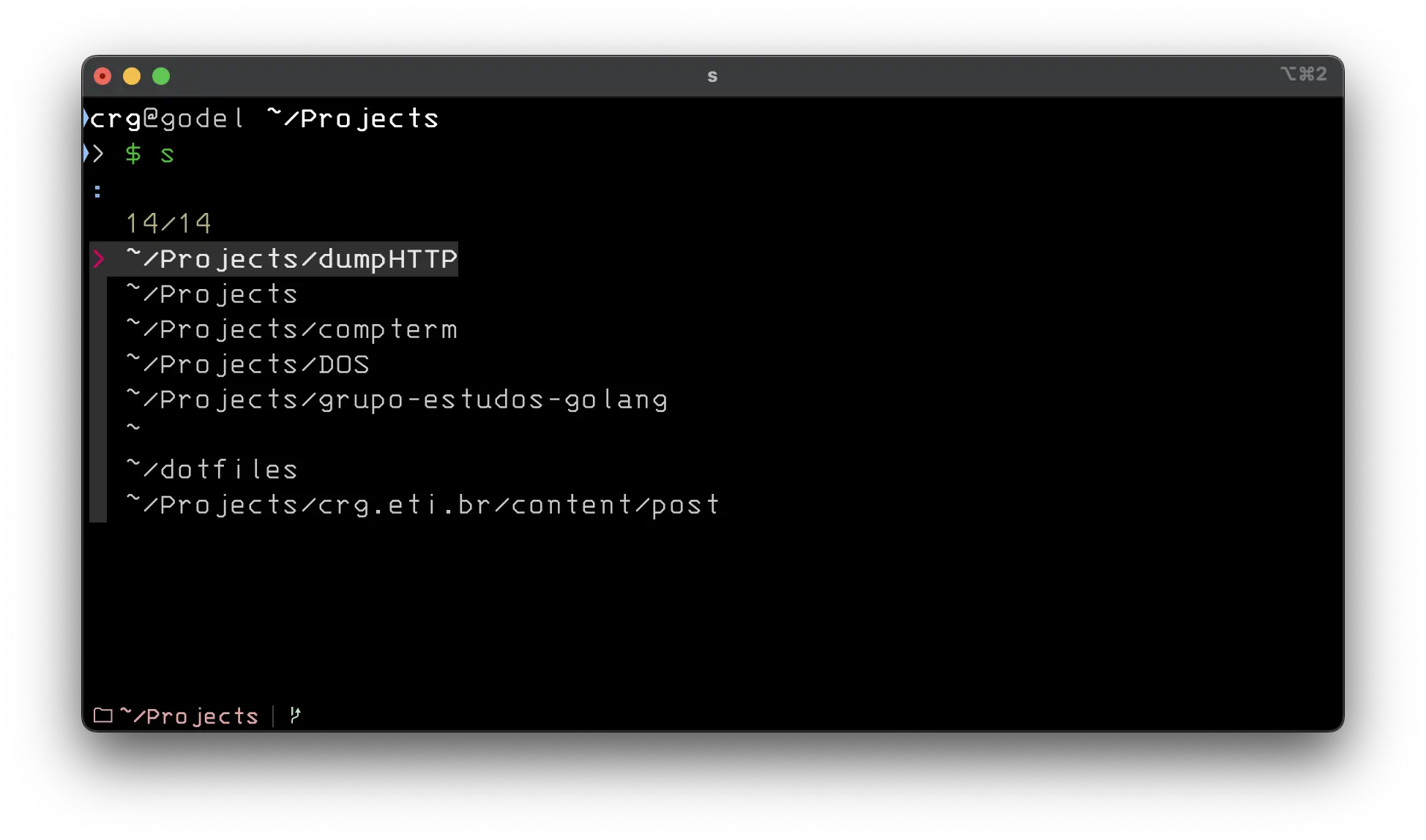
To use the script, place it in a file named cd_stack_fzf.sh and load it with the source command when your terminal starts.
After loading the script, two new commands will be available:
- s: opens the menu with the most recently accessed directories.
- b: returns to the previously accessed directory.
It is possible to change the _CD_STACK variable to define a preloaded list of directories.
There are several ways to speed up directory navigation, but this script offers an efficient and pleasant solution compared to other options.
Video demonstrating the use of the script:
Translated from the Brazilian Portuguese original · Read the original