
PostgreSQL and NUMA in the cloud: why huge pages and CAP_SYS_NICE decide performance

- Reading
- 7 min
- Tables
- 1
A four-part series by consultant Chris Travers, of Stormatics, shows how NUMA architecture still affects PostgreSQL even inside VMs and containers, and why ignoring it costs latency in production.
Consultant Chris Travers, of Stormatics, published on November 6, 2026, the fourth and final article in a series dedicated to a problem most teams discover too late: how PostgreSQL behaves on NUMA systems, especially when those systems are hidden behind a cloud VM or a Kubernetes container. According to the author, it is common for teams to spend months learning NUMA fundamentals the hard way, in the middle of a performance incident. This final piece closes the series by addressing exactly the scenario most production databases face today: Postgres running inside virtualization, not on bare metal.
For database administrators in Brazil, this is relevant because practically no significant PostgreSQL instance still runs directly on bare metal anymore. It sits on an AWS, Azure, or GCP VM, or inside a Kubernetes pod running on top of that VM. The virtualization layer does not eliminate the NUMA problem: it only makes it less visible and easier to get wrong.
The page-size detail most people ignore
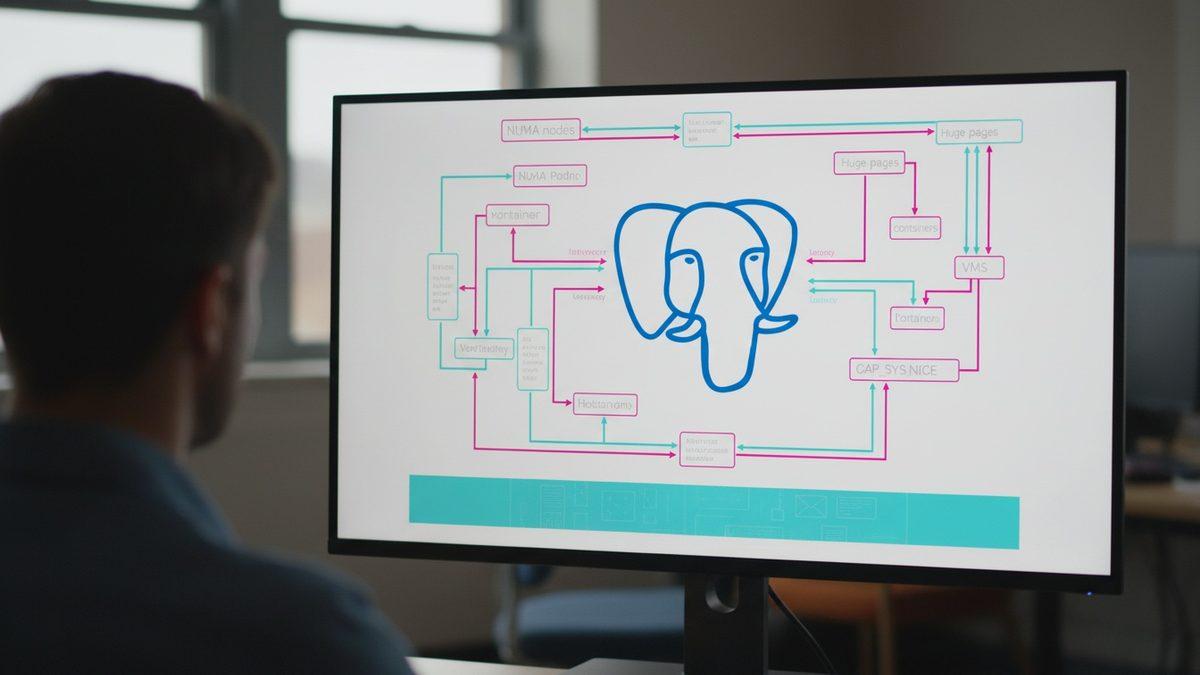
Travers recaps a technical point he had already covered in earlier articles in the series: NUMA nodes split system memory across physical controllers, and a core that accesses memory outside its local node pays the price of a request to the secondary controller. Linux, by default, allocates memory in 4 KB pages; huge_pages uses 2 MB pages. PostgreSQL, in turn, uses 8 KB shared buffer pages, unless it is compiled with different options.
The practical consequence: without huge pages, a single Postgres shared buffer page can end up split across two operating system pages and, if those allocations are interleaved, across two different NUMA nodes. The Linux scheduler does try to move processes close to the memory they access most (or vice versa), but that has a cost and is no guarantee. PostgreSQL 18 introduced NUMA-specific optimizations, but the source is direct: they only deliver real gains when combined with huge pages enabled.
The hypervisor decides what the VM sees, not the real hardware
In virtualized environments, the VM does not necessarily see the physical topology of the host machine. Hypervisors such as KVM dynamically map the underlying hardware and can present the VM with an arbitrary NUMA configuration that does not match the actual arrangement of memory controllers.
Travers points to a common pattern among cloud providers: large VMs tend to expose multiple NUMA nodes so the application (in this case, Postgres) can make its own optimizations. In short: small VMs normally see a single NUMA node, but that does not mean memory access is always local, because the scheduler behind it can still move allocations and processes without warning.
This overturns a common assumption among infrastructure teams: that if the VM only shows one NUMA node, the problem simply does not exist. It exists at the physical level; it just is not visible or controllable from inside the VM.
Containers share the kernel, not the hardware
The second virtualization layer discussed in the article is containers. Unlike a hypervisor, technologies such as Docker and Kubernetes do not virtualize hardware: they virtualize the operating system, using Linux cgroups and namespaces to give each container the illusion of its own filesystem and set of resources.
The central point here is security, and it has a direct implication for anyone wanting to enable NUMA optimizations inside a container: since all containers share the same running kernel, giving a container unrestricted root access is a risk of escape and compromise of the entire host. That is why container orchestrators restrict by default what the root user can do inside them.
Where this restriction comes from
Travers traces the technical origin of this restriction back to the Linux kernel 2.2 series, in the late 1990s. Until then, the root user was treated as a special case, exempt from the limitations imposed on regular users.
- Starting with the 2.2 series, the kernel began using the POSIX
capabilitiessystem instead of treating root as an exception; - Root came to receive all capabilities by convention, but they can be taken away from it or granted to other users;
- The capability relevant to NUMA is
CAP_SYS_NICE, which allows setting CPU affinity, NUMA allocation policies, and related memory management functions; - On Illumos and SmartOS systems, the equivalent concept is called "privileges," not "capabilities."
Without CAP_SYS_NICE, a process inside a Docker container or a Kubernetes pod simply cannot apply the affinity optimizations that PostgreSQL 18 was designed to take advantage of.
The trade-off between performance and attack surface
Enabling CAP_SYS_NICE solves the affinity problem, but it is not free from a security standpoint. In Travers's own assessment:
In theory this is pretty safe since namespacing should prevent the container from seeing outside processes, but it does represent an additional possible security attack point should other vulnerabilities exist.
Chris Travers, Stormatics
This is the real decision that falls on platform teams: accepting an additional capability enabled in production, with all the security scrutiny that requires, in exchange for a measurable latency gain. It is not a trade-off made by default for every workload; it is one evaluated case by case, depending on how latency-sensitive the database is and how critical the cluster's multi-tenant environment is.
Best practices by layer
The source organizes the recommendations into two levels, the VM level and the container level, and it is worth reproducing them separately because they solve different problems:
| Layer | Recommendation | Why |
|---|---|---|
| VM (cloud) | Always enable huge_pages | Reduces the risk of a shared buffer page being split across NUMA nodes, compensating for the hypervisor's difficulty in guaranteeing locality |
| VM (cloud) | Check whether the VM exposes multiple NUMA nodes | Large VMs tend to expose them; treat them like any physical NUMA system, since they are generally pinned to specific nodes |
| Container | Consider pinning to specific NUMA nodes | In Kubernetes or Docker with multiple databases on the same VM, pinning each one to a node guarantees the best possible performance if memory and processes fit there |
| Container | Consider enabling CAP_SYS_NICE | Necessary for the application (Postgres) to set CPU affinity and memory policy on its own |
At the container level, activation is straightforward: via the --cap-add flag in docker run, via the cap_add list in the docker compose file, or by specifying the additional capability in the Kubernetes manifest.
What this changes for those running Postgres in production here
For a typical operation in Brazil, with a database on a managed cloud VM or a managed Kubernetes cluster (EKS, AKS, GKE, or an on-premises equivalent), the practical lesson from Travers's series is to check three things before scaling vertically to solve a latency problem: whether huge_pages is actually enabled in Postgres, whether the contracted VM instance exposes NUMA topology (larger instances tend to expose it, smaller ones do not necessarily help even when they claim to), and whether the containers running the database have CAP_SYS_NICE when pinning is the chosen strategy.
In short: when the application is already suffering from high p99 latency or intermittent timeouts on a large database, it is worth reviewing the NUMA configuration before assuming the problem is an index, a query, or insufficient hardware. This is exactly the kind of root cause that goes unnoticed because it falls between two layers: the VM does not show the real topology, and the DBA does not necessarily think about container capabilities.
This is not a universal recommendation. On small VMs, workloads that are not sensitive to tail latency, or development and staging environments, the gain from tweaking NUMA pinning and enabling CAP_SYS_NICE is unlikely to be worth the operational complexity and the increased attack surface it introduces. Execution plan and index analysis remain the first step before any infrastructure adjustment; NUMA is the next layer, not the first, and it is only worth investigating once the bottleneck has already been isolated at the query level and still persists.
Translated from the Brazilian Portuguese original · Read the original

MongoDB 9.0 uses less CPU than 8.0 and 8.3 in independent Percona benchmark
Test by engineer Ivan Groenewold shows a gain of up to 6% when CPU is the bottleneck, and just 2% when the limit shifts to memory or disk.