6 min read
You can test a product with real users without hiring a consultancy
 Yara UchôaAuthor
- Reading
- 6 min
- Tables
- 1
A practical guide based on material from the Nielsen Norman Group shows how product teams in Brazil can run validated usability tests without an agency budget.
The problem every product team faces
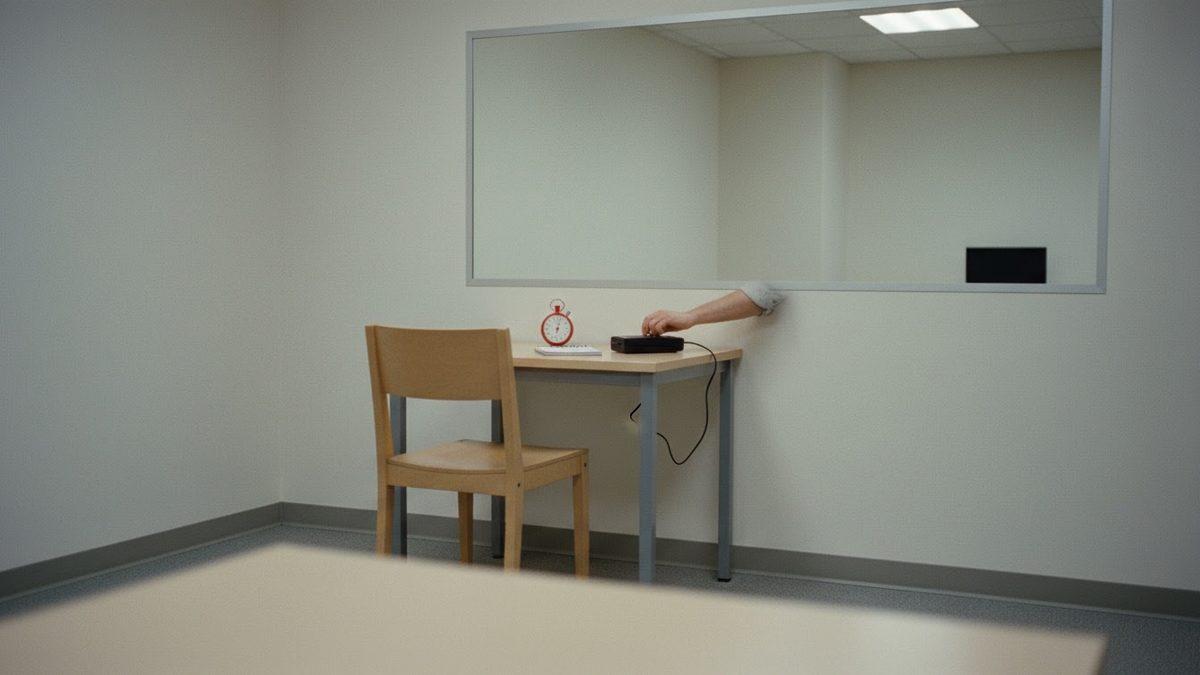
Many teams launch a screen, a feature, or an entire flow believing they already understand the user well enough to skip validation. The result shows up later: support tickets, drop-off rates, a whole sprint's worth of rework to fix something a thirty-minute test would have caught beforehand. The Nielsen Norman Group (NN/g) defines usability testing, in an article published on November 27, 2026, as the method in which researchers observe people trying to complete a realistic task on an interface, in order to identify usability problems and opportunities for improvement.
The temptation to skip this step grows when the team believes a senior designer, or a generative AI tool, already handles this on its own. NN/g's material is direct in dismantling that idea:
Even the best UX designers (or the best AI-based design tool) can't design a perfect user experience without iterative design driven by observations of real users interacting with the design.
Kate Moran and Maria Rosala, researchers at the Nielsen Norman Group
This happens because a design pattern that works in one interface can confuse in another, depending on what surrounds it and what the user is trying to do. Each person arrives with a mental model shaped by other products they've already used, and a design that breaks that expectation stalls the task. No designer, and no AI, can predict this with confidence without watching someone actually try to use the interface.
The four elements behind any test
According to NN/g, most usability tests, from the most informal to the most instrumented, rely on four elements:
- Facilitator: guides the participant, gives instructions, observes behavior, and asks follow-up questions without influencing the answer
- Tasks: realistic activities the participant would do in real life, carefully worded to avoid leading them (the phenomenon called priming)
- Design: the prototype, screen, or production product being evaluated
- Participant: someone with a realistic user profile, ideally including people with disabilities, who often reveal problems other participants don't find
Task wording is where most beginner mistakes happen. NN/g cites a real example of a well-written task: asking the participant, on a bank's website, to decide which credit card they would open, if any. It's an instruction specific enough to prompt a real decision from the participant, not a vague wander through the interface, which helps explain why small wording mistakes can completely change the observed behavior (the phenomenon called priming).
Qualitative or quantitative: the choice changes everything downstream
The type of study determines how many participants to recruit and what to do with the collected data.
| Type | Goal | Participants | When to use |
|---|---|---|---|
| Qualitative | Uncover problems and opportunities | Usually 5 per user group | Explore a new flow or validate a redesign |
| Quantitative | Measure success rate, task time | Larger, statistically significant sample | Compare two design versions or track a metric over time |
NN/g emphasizes that qualitative testing is more common in day-to-day product work because it answers the team's most frequent question: where the user gets stuck. Quantitative testing comes in when the question is no longer "where" but "how much," such as comparing two versions of a checkout.
Remote or in-person
Moderated remote testing works like in-person testing, just over video call: the facilitator keeps interacting in real time. Unmoderated remote testing, on the other hand, takes the facilitator out of the equation: a dedicated tool delivers the tasks in writing, the participant responds on their own, and the researcher later receives the recording along with metrics like success rate. It's cheaper, but it loses the chance to ask a follow-up question on the spot.
AI helps with transcription, not with seeing the user
NN/g's article dedicates an entire section to the role of AI in research, and the angle is useful precisely because it isn't the usual hype. Automatic transcription with timestamps speeds up the search for key moments and the assembly of highlight reels for stakeholders. That's a real time saving.
The limit shows up in analysis: AI helps locate excerpts and suggest interpretations, but it makes mistakes, which is why the researcher needs to check every AI-generated reading against the original recording. Newer tools already offer AI moderators, which work like unmoderated remote testing: the script is prepared beforehand and the AI runs the session on its own. NN/g itself is cautious here: some of these moderators don't fully observe the participant's interaction with the interface and struggle to ask the right follow-up question at the right moment. For now, they serve simple studies well, not more open-ended investigations.
There's also a side effect that gets little discussion: because AI speeds up building and changing interfaces, teams end up needing to test more often, not less, to make sure design decisions stay anchored in real behavior.
The 3-day "discount" study
NN/g describes a lean format that any technical team can run without an outside agency, as long as it already has access to participants and someone who knows how to run the session:
- Day 1: plan the study (define tasks, script, and recruitment criteria)
- Day 2: test with 5 users
- Day 3: analyze the findings and turn them into redesign recommendations for the next iteration
AI can compress part of this time, for example by drafting tasks or transcribing sessions, but someone on the team still needs to watch the sessions and interpret what the participant did. That's what separates a usability test from a pretty, shallow automated report.
For a product team in Brazil, this means it's possible to run this cycle within a single sprint, using a regular video call and a Figma prototype, with no lab budget. The real cost is in the incentive paid to the participant, not in expensive tooling.
Accessibility is part of the definition of done
NN/g recommends, whenever possible, including participants with disabilities, such as people who use a screen reader or other assistive technology, because they reveal problems no other participant profile finds. This isn't a separate accessibility study to run "whenever there's time left over": it's the same study, with more diverse recruitment from the start.
The source points to a dedicated resource from NN/g itself, a guide on how to run usability studies for accessibility, for anyone who needs practical guidance on recruitment and task adaptation in this scenario.
When it's worth increasing the investment
The lean 3-day study doesn't fit every question. NN/g lists what makes a study more expensive, and each item here is a conscious scope decision, not a luxury:
- Testing multiple competing interfaces side by side
- Running the study in multiple countries
- Covering multiple user groups or personas in the same round
- Needing a quantitative study, which requires a larger sample
- Using equipment such as an eye tracker
- Setting up a dedicated lab for in-person observation
The return on this larger investment still tends to be high, according to NN/g, just usually lower than the return on the simple 5-participant study. In practice, that's a strong argument for starting small: a team that has never tested anything gains more by running the 3-day cycle once per sprint than by waiting for budget for a multinational quantitative study that might never happen.
Translated from the Brazilian Portuguese original · Read the original
WCAG 2.2 defines nine new criteria that digital products still fail to meet
The official W3C recommendation, published in December 2024, formalizes requirements on visible focus, single-finger dragging, touch target size, and authentication without memory tests.