Vercel puts Priority Projects into public beta for teams running Next.js in production
- Reading
- 6 min
- Tables
- 1
- Code
- 4
The paid add-on identifies real bots, labels suspicious traffic, and blocks unapproved scripts using CSP, without adding any client-side JavaScript.
Vercel has opened the public beta of Priority Projects, an optional per-project upgrade available to Pro and Enterprise teams, according to the company's official changelog. It's not a performance or build feature: it's a security and observability layer aimed directly at what hurts most in production today: knowing who (or what) is hitting your frontend, and which third-party scripts are actually running on the page.
For teams building with Next.js on Vercel, this changes the way you think about the Firewall, which until now was basically rules by IP, path, and rate limit. Now it adds structured bot signals, traffic source labels, and, most importantly, a client-side script inventory built on top of Content Security Policy (CSP).
Bot signals: structured data instead of guesswork
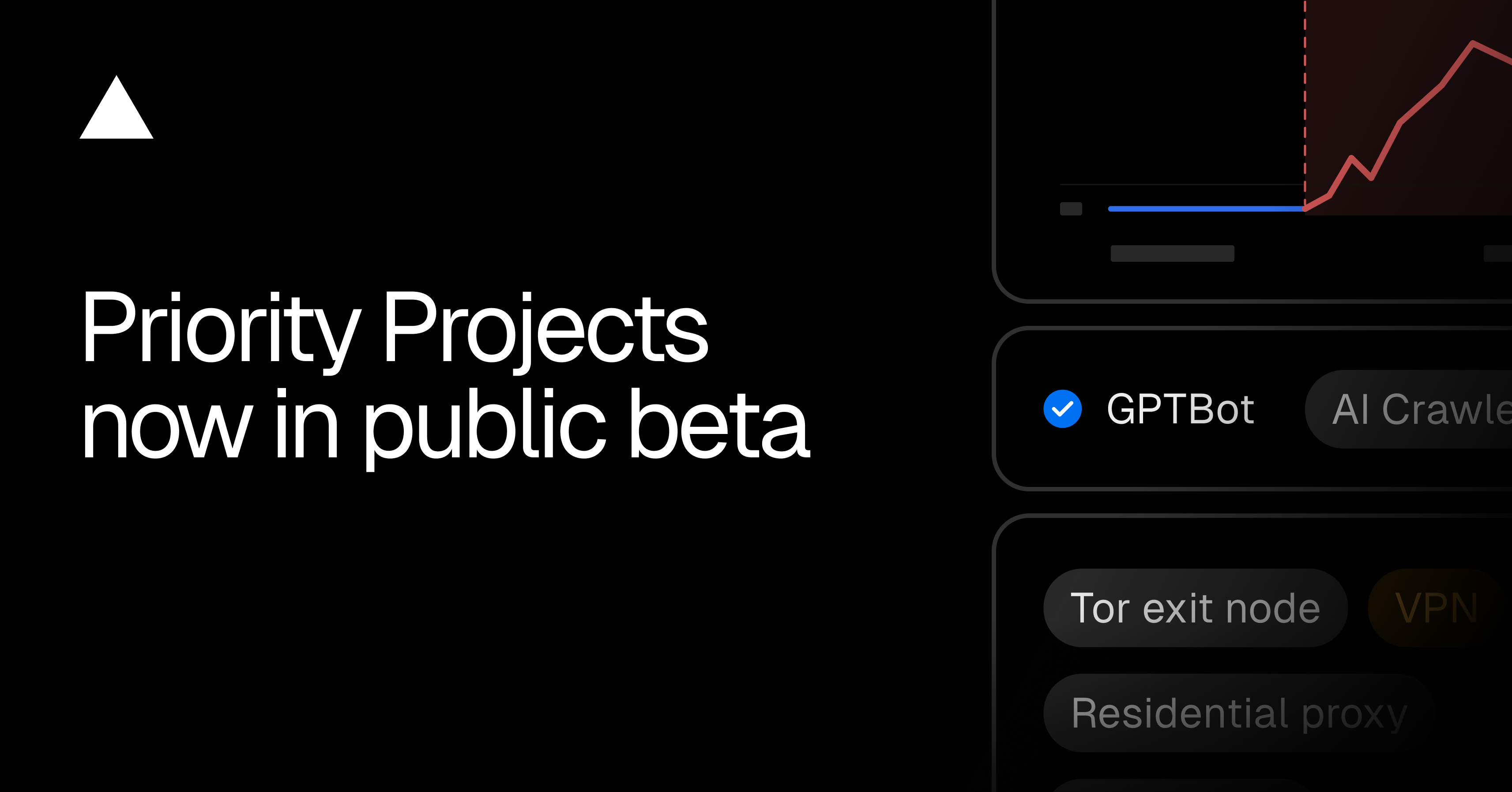
Basic bot protection (challenging non-browser traffic while letting verified bots through) is already free on all plans. Priority adds granularity: bot category, verification status, and name when available.
This shows up in three different places in your code:
- Firewall rules: you can match on
bot_name,bot_category,bot_status, andbot_protection, through the dashboard or viavercel firewall rules add. - Application code: the
x-vercel-bot-category,x-vercel-bot-name, andx-vercel-verified-botheaders arrive in Routing Middleware and in Vercel Functions, ready for conditional logic. - Logs and Observability: Firewall Observability gains the
botCategoryfield for unverified traffic, and Log Drains now carry the bot classification.
In practice, you can write a rule that challenges only AI crawlers on /checkout, for example, without touching the rest of the site. Before this, separating "good bots" from "bad bots" depended on your own heuristics or a third-party service; now it's a header you read directly in the edge function.
Traffic Sources: labeling Tor, VPN, and residential proxy
The second block is Traffic Sources labels: requests coming from Tor exit nodes, VPNs, open or anonymizing proxies, residential proxies, and traffic flagged by abuse blocklists. A single request can carry multiple labels at the same time.
These labels are available in custom Firewall rules, in Firewall Observability, and in the x-vercel-waf-source header inside the application. To enable the Traffic Sources managed ruleset via CLI, the flow is:
vercel firewall managed-rulesets enable traffic-sources
vercel firewall diff
vercel firewall publish
The first command only stages the change; diff shows what will change before you apply it with publish. It's worth noting the warning Vercel itself makes: VPNs and residential proxies are also used by legitimate people, so blocking outright without reviewing traffic first is shooting yourself in the foot. The recommended path is to log and analyze before locking down.
Page Integrity: a script inventory without extra JavaScript
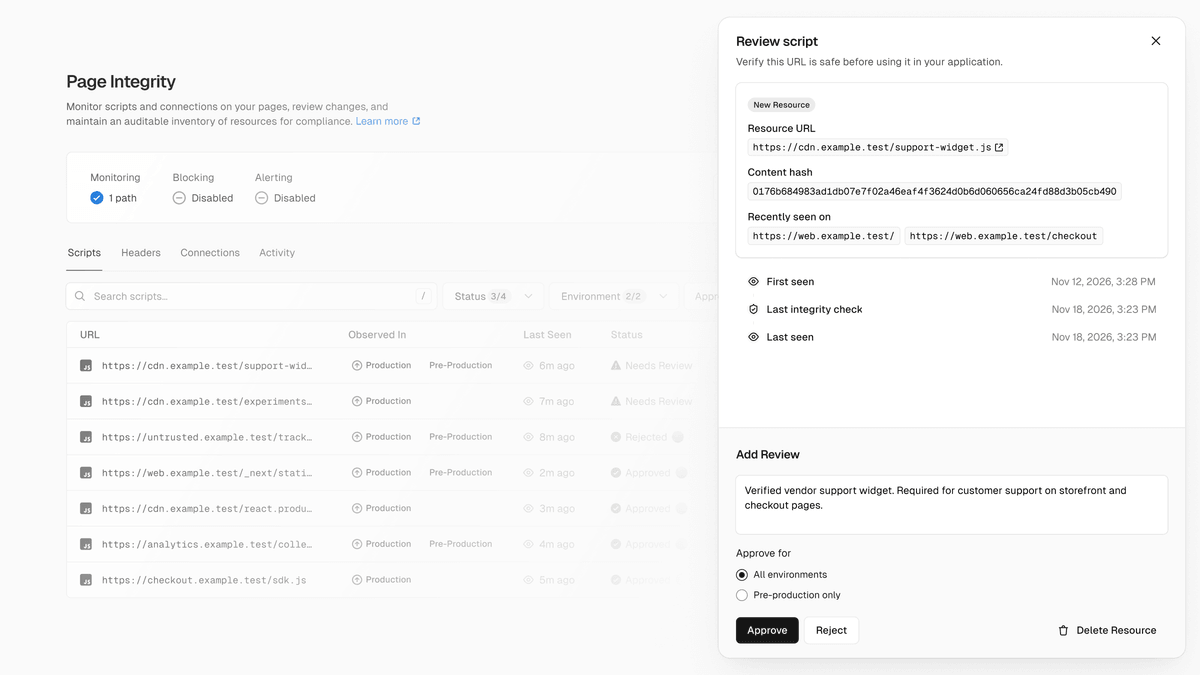
This is the part that matters most to people who work on the frontend every day. Page Integrity monitors client-side connections and scripts, alerts when a new script or connection appears, and can block anything that isn't approved. The elegant part is how it does this: using CSP for discovery and enforcement, without injecting any JavaScript on the client. This matters because any monitoring layer that runs in the browser competes for main thread time with your app; here, the heavy lifting stays on the HTTP header side.
The flow has three stages, designed so production doesn't break overnight:
- Detect: discovers scripts using CSP headers in
report-onlymode, on sampled requests. - Review: you approve or reject each script, recording the business justification.
- Block: applies a CSP that effectively blocks any resource outside the approved inventory.
Page Integrity needs to be enabled separately from the rest of Priority, and has its own billing: US$ 2 per thousand monitored page views, covering up to 100 scripts per view. Through the dashboard you can configure monitoring and review resources; via the CLI, the inventory is also queryable:
vercel page-integrity scripts list
vercel page-integrity headers list
vercel page-integrity connections list
In practice, this tackles a chronic problem for any average frontend team: nobody knows for sure how many third-party scripts (analytics, ad pixels, chat, A/B testing) are loading on the page in production, or when someone added a new one without going through review. It's basically an SBOM for the client side, enforced via CSP.
Firewall: higher limits, rate limiting by response, OWASP unlocked for Pro
Priority also unlocks extra capacity in the Firewall that already exists. DDoS alerts remain free on all plans, but Priority adds anomaly alerts for bot traffic and requests that trigger system or custom rules, configurable in Settings > Alerts with delivery by email, Slack, or webhook. To see recent alerts via the CLI:
vercel alerts --since 24hThe OWASP Core Ruleset, which Enterprise projects can already enable without needing Priority, becomes available to Pro through Priority (enabled via vercel firewall managed-rulesets enable owasp --yes followed by vercel firewall publish), with separate billing per request and per GB of inspected payload. Rate limiting also gains a response-based condition: you can count only failed-login 401 responses, or 404 responses for nonexistent pages, instead of counting every request that hits the rule, which significantly reduces false positives in endpoint abuse scenarios.
The numeric limits also go up:
| Firewall limit | Pro (default → Priority) | Enterprise (default → Priority) |
|---|---|---|
| Custom rules | 40 → 100 | 250 → 500 |
| System bypass rules | 10 → 30 | 75 → 200 |
Pricing and when it makes sense to enable
Priority costs US$ 200 per project per month, on top of Page Integrity's separate billing. Enabling it is done through the dashboard (on the project's Firewall or Settings page) or via the CLI:
vercel upgrade
vercel project priority enable <project-id>
This price makes the decision easy to frame: for a personal project, an MVP, or a low-traffic institutional site, US$ 200/month is too expensive for what it delivers, especially with Page Integrity charging per page view on top of that. Where the math changes is in applications with checkout, logged-in areas, or any surface where an unaudited third-party script is a real risk of data leaking or a skimming attack (the classic scenario CSP allowlists have tried to prevent for years, but that few teams keep updated by hand).
The point of caution lies in Page Integrity's Block stage: a miscalibrated CSP can take down a legitimate script that nobody remembered to approve, or one whose vendor changed domains without notice. The three-stage design (Detect, Review, Block) exists precisely to mitigate this, but teams that skip the review phase and go straight to blocking will feel something similar to a misconfigured CORS setup firsthand: it works in dev, it breaks in production.
Translated from the Brazilian Portuguese original · Read the original


Gemini 4 Neon Is Now Available in Vercel's AI Gateway for Coding Agents
Vercel's AI Gateway now lists Gemini 4 Neon, a faster version of Google's model built for code, agents, and multi-step tasks. Here's how to swap the model ID in your project without rewriting the integration.