Figma Make and Code Connect: how to redesign handoff when AI generates UI on the canvas
With Figma generating interface variations and code from a prompt, human work shifts from the pixel to curation: definition of done, accessibility QA, and mapping between design system and code.

The problem isn't AI generating pretty screens. It's that, when Figma itself starts spitting out UI variations and code snippets from a prompt, the bottleneck stops being production and becomes decision-making: which variation moves forward, what's accessible, what respects the design system, and what's plausible hallucination. Whoever was treating handoff as "delivering the file" needs to reframe the question: where does human judgment come in when the machine has already delivered ten options?
The Code Connect documentation in Figma's Help Center helps to see the plumbing behind this. It describes how Figma connects components from the code repository to components in design files, feeding the MCP (Model Context Protocol) server, which in turn guides AI agents with "direct references to your real code". In other words: the quality of what the AI generates on the canvas depends directly on how well the team mapped design and code. Without that mapping, the agent invents the implementation.
What Code Connect does under the hood
Code Connect is, in Figma's own words, "a bridge between your codebase and Dev Mode". It exists in two forms, and choosing between them is already a process decision:
| Aspect | Code Connect UI | Code Connect CLI |
|---|---|---|
| Where it runs | Inside Figma | In the terminal, on the local repository |
| Audience | Design and engineering teams together | Devs who want precision |
| Link to code | Component path, name, instructions | Mapping of properties to the component's real API |
| Snippets in Inspect | Doesn't show (only AI previews) | Shows real design system code |
| Multi-framework | One component for React, Vue, SwiftUI, Compose | Depends on template files |
Both paths feed the same MCP server. The UI is fast, language-agnostic, and connects to a GitHub repository (or via manually typed paths). The CLI uses framework-agnostic template files to map Figma properties to the production API, generating snippets in Dev Mode that reflect the real component, not an autogenerated guess. An important detail from the docs: framework-specific parsers are no longer maintained, and template files are the recommended format.
A concrete example of why this changes the game: the UI supports one-to-many connections. A single Button component in the design can point to its implementations in React, SwiftUI, Jetpack Compose, and Vue, each with its own path, name, and instructions. When an AI agent generates the button, it starts from what exists in production, not from a generic pattern found on the internet.
Where handoff breaks
The old model was linear: the designer finalizes the screen, the dev opens Inspect, and translates it. With generation on the canvas, the flow becomes iterative and parallel, and three points of friction appear.
Curation becomes a formal step. If the AI delivers variations, someone needs an explicit criterion to choose among them. "It looks good" is not a criterion. It's worth documenting what disqualifies an output variation: insufficient contrast, broken typographic hierarchy, component outside the library, missing focus state.
Preview snippets are not the source of truth. Figma itself warns that UI previews are generated "in a different context from MCP server responses" and may diverge from what the agent produces with conversation history and other context. In other words: the code the designer sees in the preview may not be what ends up in the dev's hands. This needs to be part of the team's communication, or it turns into a "but that's how it looked in Figma" argument.
Components connected via the UI don't show a snippet in Inspect. They display only the file and name, plus AI previews. Whoever relies on Inspect for the canonical code needs the CLI. Choosing the wrong tool hides information the dev expected to have.
Accessibility isn't an optional QA step
Here's the point that generation euphoria usually skips. Generative models optimize for what looks right, and accessibility is rarely what "looks" right. Contrast that passes the eye test but fails WCAG, focus order inherited from visual order, icon without a label, touch target too small: none of that jumps out on a rendered screen.
The sensible path is to embed verification in the definition of done, not leave it for an audit at the end. A plausible QA checklist for AI output on the canvas:
[ ] text and component contrast checked against WCAG 2.2 AA
[ ] every interactive control has a visible focus state
[ ] focus order follows logical reading order, not just visual order
[ ] touch targets have adequate minimum size
[ ] accessible labels and names present (not just icon)
[ ] heading hierarchy is coherent
[ ] component belongs to the connected library, not ad hoc
Code Connect helps indirectly here: if design system components are born accessible and the AI is forced to start from them via MCP, the error surface shrinks. That's why investing in mapping isn't bureaucracy, it's prevention. The quality of generation is directly proportional to the quality of the connected base.
What this means for the Brazilian team
For product teams in Brazil, many still with designers and devs fighting over the same backlog, the concrete change is where human effort gets allocated. Less time assembling repeated screens, more time on three fronts: keeping the design system and its code connections up to date, defining curation criteria for AI output, and running accessibility QA as part of the flow, not as a favor at the end of the sprint.
It's worth remembering two practical restrictions from the docs. Code Connect requires Organization or Enterprise plans and a Full or Dev seat, so not every team will have immediate access to the full plumbing. And GitHub Enterprise Server isn't supported by the UI connection, plus each library file connects to a single repository. This matters when designing the process: part of the gain depends on infrastructure that not every company has contracted.
When it's not worth it
If the team doesn't have a consolidated design system, betting on canvas generation tends to amplify inconsistency: the AI will generate each button differently because there's no source of truth to anchor to. In this scenario, the bigger return is in structuring the library first. It's also not worthwhile when the product has strict accessibility or compliance requirements and the team still doesn't have mature accessibility QA: without that safety net, generation speed just accelerates the production of debt. AI on the canvas is a multiplier, and a multiplier amplifies both good structure and mess.
Translated from the Brazilian Portuguese original · Read the original
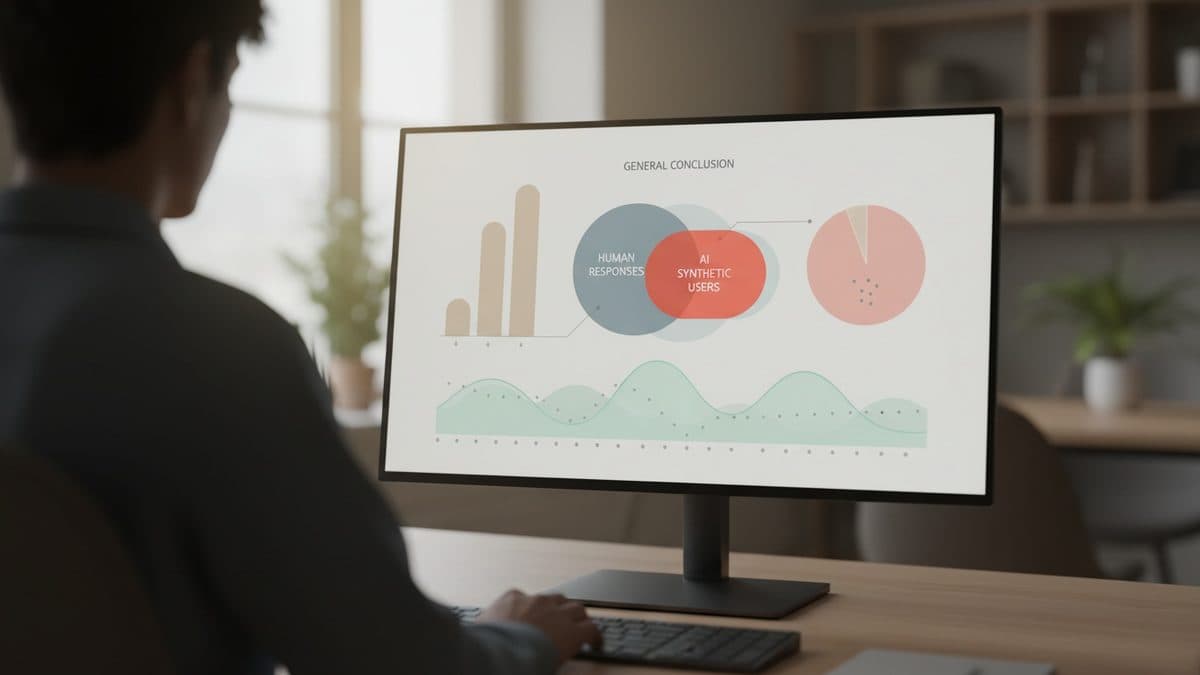
Synthetic AI users repeat human conclusion, but with less variation
A Nielsen Norman Group study compared 120 synthetic respondents with a survey of 604 human professionals and reached the same overall conclusion, only with much less diversity of responses. The phenomenon has a name: mode collapse.