

6 min read
Shared memory error confuses Postgres-on-Docker users: disk is full, but that's not the issue
 Roberto DinizAuthor
- Reading
- 6 min
- Tables
- 1
- Code
- 1
A survey published on Planet PostgreSQL measured, version by version, how the default /dev/shm limit in Docker containers breaks parallel joins and why the error seems random.
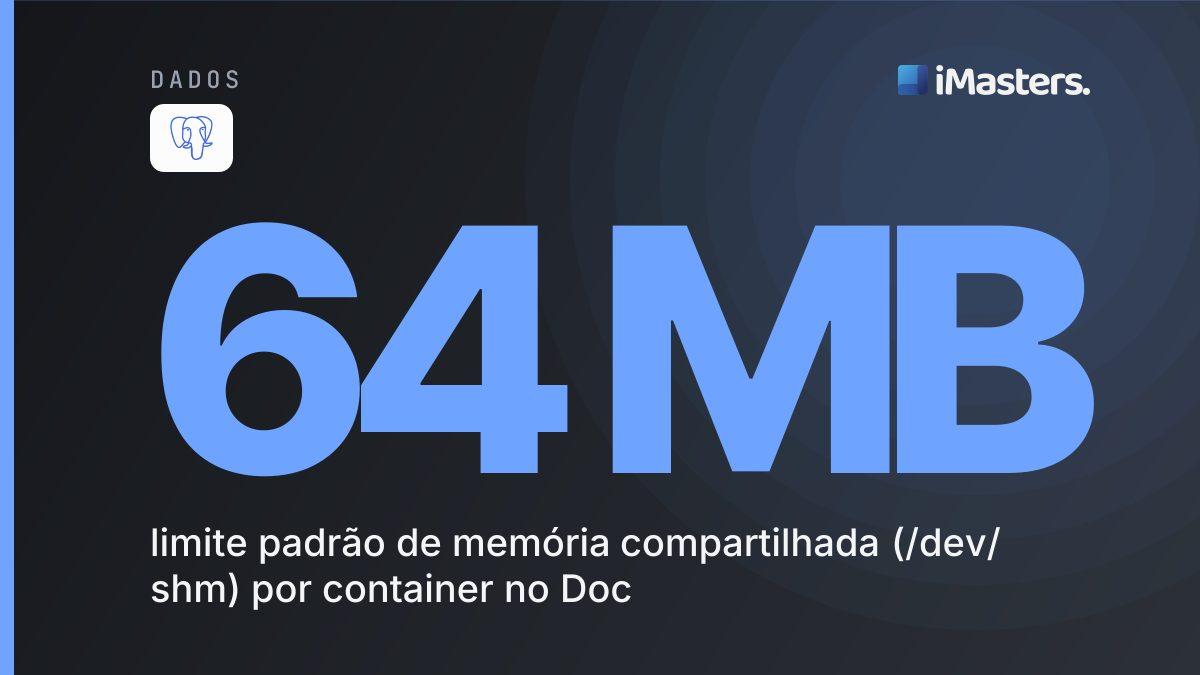
Anyone who has run PostgreSQL in Docker has probably seen an error that doesn't make sense at first glance: could not resize shared memory segment followed by No space left on device. The temptation is to check the disk. It's free. A survey published on Planet PostgreSQL, authored by the Now-Next project, measured this behavior across versions 16.15, 17.11, and 18.6, running under Docker 29.1.3 and Compose 2.40.3, on November 6, 2026. The core conclusion: the "full disk" isn't the data volume, it's /dev/shm, the tmpfs that the kernel reserves in RAM and that Docker limits to 64 MB by default in any container.
Where the Problem Lives
PostgreSQL uses dynamic shared memory to build the hash table for a Parallel Hash Join: each worker contributes to a single table, shared among the cooperating processes. With dynamic_shared_memory_type = posix (the default), these segments become files inside /dev/shm. Outside a container, the host usually has a generous /dev/shm, sized at half of RAM. Inside a Docker container, without explicit configuration, the limit is 64 MB, and that's where the math doesn't add up.
The source's test isolated the variable: a join between two tables of 3 million rows each, forcing the planner to choose a Parallel Hash Join via enable_mergejoin = off. With default values (work_mem 4MB, 2 workers), the isolated query passed. From work_mem 16MB onward, it always failed. And even at default values, running four simultaneous sessions, at least one failed in every tested round.
Why the Error Seems Random
The most useful point in the survey for anyone debugging this in production is the distinction between two failure patterns. A query too large for the available /dev/shm always fails, whether alone or not: retrying won't help. A query that fits on its own, however, may only fail when other sessions compete for the same tmpfs at the same instant, which makes the error appear and disappear with no apparent relation to anything that changed in the system.
This explains why post-incident investigation tends to be frustrating: as soon as the query fails, PostgreSQL removes its own segments. A df run minutes later shows /dev/shm almost empty, back to the 1.1M the server has used since startup. Whoever arrives after the alert finds no evidence that the tmpfs ever reached 99% usage.
What the Number in the Error Doesn't Tell You
The error message cites a segment size, for example 16777216 bytes (16 MiB), but that value is for a single segment, not the total consumed by the query. The segment name (/PostgreSQL.NNN) is also random on each run, so there's no point looking for that specific number in future logs. The actual memory budget a query reserves in /dev/shm follows a simple formula: work_mem multiplied by hash_mem_multiplier (2.0 by default), multiplied by the number of workers plus the leader process. This is the same logic, applied to concurrent sessions, that PostgreSQL's documentation already warns about when describing the behavior of work_mem.
shm_size Isn't a Magic Number, It's Load Sizing
The official Postgres image's documentation suggests --shm-size=256MB as a standard fix. The test shows that this solves the problem for an isolated query, but not for concurrency: with four simultaneous sessions using work_mem 1GB and 2 workers each, 256 MB filled up and at least three of the four sessions failed in all eleven rounds. Only with --shm-size=1g did all four sessions pass consistently, with peak usage around 623 MB.
In Docker Compose, the parameter goes at the service level, not under deploy.resources:
services:
 db:
 image: postgres:17
 shm_size: 256mb
Without this line, Compose applies the same default 64 MB limit as docker run. The practical takeaway: size /dev/shm for the peak of all parallel queries that can run at the same time, not for the largest isolated query someone happened to test once.
Alternatives Beyond Increasing the tmpfs
The source lists a set of adjustments with measured effects, useful when increasing shm_size isn't an option (for example, in managed environments that don't expose this parameter):
| Adjustment | Measured Effect | Cost |
|---|---|---|
hash_mem_multiplier = 1 | Passes in cases that failed at the default of 2 | Each hash node gets half the memory |
max_parallel_workers_per_gather = 0 | Eliminates the error across the entire tested grid | Loses query parallelism at the session or server level |
dynamic_shared_memory_type = mmap | Segments become files in pg_dynshmem, outside /dev/shm | Writes to the data volume; about 8% slower in the test; discouraged by the documentation |
dynamic_shared_memory_type = sysv | Nothing in /dev/shm; four sessions at work_mem 1GB passed | Becomes dependent on kernel.shmmax/shmall, not tested in a container by the authors |
min_dynamic_shared_memory = 256MB (18.6) | Reserves a pool in the main shared memory, not in /dev/shm | Under concurrency of four sessions, failed again in 3 of 4 cases |
None of these options is free. Reducing hash_mem_multiplier or work_mem pushes the query into temporary disk batches sooner. Turning off parallelism costs execution time. And switching the dynamic memory type to mmap or sysv requires a server restart and changes where the operating system records that memory usage.
What Changes for Those Running This in Production
The most relevant finding for architecture is that shared_buffers doesn't enter into this equation: on Linux, the main shared memory segment is anonymous (shared_memory_type = mmap), not a file in /dev/shm. A shared_buffers of 1GB started without issue inside a container with only 64 MB of /dev/shm. Anyone increasing shared_buffers thinking it will avoid error 53100 is tweaking the wrong parameter.
Another point worth noting is not to confuse this error with out of shared memory, which comes with a hint about max_locks_per_transaction. These are different problems: one is a full lock table, fixed at server startup; the other is a full tmpfs, variable according to concurrent load. The test confirmed that raising max_locks_per_transaction to 10000 had no effect whatsoever on the /dev/shm error.
What Remains Open
The authors didn't test Kubernetes directly (the recommendation there is an emptyDir with medium: Memory and a defined sizeLimit, so as not to inherit the entire node's allocatable memory size), nor drivers other than psql, nor whether /dev/shm usage counts against Docker's --memory limit. They also didn't cover other parallel nodes that use shared memory, such as Parallel Bitmap Heap Scan, nor PostgreSQL 15 and earlier versions.
For those who run Postgres in local development and then promote the same image to production, the practical recommendation is to test the peak /dev/shm usage under the actual expected concurrency, document the chosen shm_size alongside the application's work_mem and max_parallel_workers_per_gather, and treat this trio as part of the execution plan, not as an infrastructure detail.
Translated from the Brazilian Portuguese original · Read the original
PostgreSQL with Next.js on Vercel: the per-instance pool that prevents too many connections in production
A fieldnotes guide published on Planet PostgreSQL shows how to set up a node-postgres pool per function instance on Vercel, without leaking a client in a transaction or hitting the database's connection limit.