Google details how to control your site's presence in AI Overviews and AI Mode

- Reading
- 6 min
- Tables
- 1
- Code
- 4
Updated Google Search Central documentation brings together, in one place, the technical controls that decide whether (and how) a page gets into search's AI-generated answers.
O Google Search Central atualizou, em dezembro de 2025, a página oficial que reúne tudo o que um dono de site precisa saber para controlar a presença das próprias páginas no AI Overviews e no AI Mode. Não é um recurso novo nem uma mudança de algoritmo, mas um guia dedicado ao tema. Para quem cuida de SEO técnico no Brasil, o valor está em entender exatamente quais alavancas existem e quais não existem.
Google Search Central, in December 2025, updated the official page that brings together everything a site owner needs to know to control their pages' presence in AI Overviews and AI Mode. It's not a new feature or an algorithm change, but a guide dedicated to the topic. For those handling technical SEO in Brazil, the value lies in understanding exactly which levers exist and which don't.
AI answers fall under the same metric as traditional search
The first point the guide makes explicit is that AI Overviews and AI Mode are not a separate traffic channel inside Search Console. Clicks, impressions, and position coming from these experiences are counted within the same Performance Report, under the "Web" search type. There is no filter to isolate "how much of my traffic came from AI Overviews": the data appears mixed in with the rest of organic search.
This has a direct practical consequence. Anyone wanting to investigate whether a recent drop or rise in clicks is tied to AI Overviews needs to cross-reference information: check whether average position changed without a proportional drop in clicks (a sign that the page is being cited as a source but losing clicks to the generated summary), and compare it with Google Analytics to see engagement time. The documentation also includes an observation about click quality worth reproducing:
We've seen that when people click from search results pages with AI Overviews, these clicks are higher quality (meaning, users are more likely to spend more time on the site).
Google Search Central, official documentation
In practice, this suggests that even when AI Overviews reduces the raw volume of clicks for a given topic, the clicks that remain tend to convert better in terms of time on page. It's worth checking this in Google Analytics, tracking engagement time per page, before drawing conclusions from session volume alone.
There's no "show up in AI Overviews" button
The guide is direct on a point that frustrates a lot of SEO people: there is no additional technical requirement to appear as a supporting link in AI Overviews or AI Mode beyond what's already required for traditional search. If the page is indexed and eligible to show a normal snippet on Google, it's already eligible to be cited in an AI answer. There's no tag, no structured data attribute, and no specific robots.txt configuration to "get into" these experiences.
What exists are the same best practices as always, reinforced: allow crawling in robots.txt (including CDN and hosting infrastructure), maintain internal links that make content navigable, ensure a good page experience, keep important content in text format (not only in image or video without a transcript), and keep structured data consistent with the visible text on the page. Anyone already doing correct technical SEO for classic search doesn't need anything extra to be eligible for AI Overviews.
The controls that decide what does (and doesn't) show up
For those who want to limit or prevent content's presence in these answers, the control remains the same set of robots directives that already existed before generative AI entered search. The difference is one of intent: each directive blocks a different layer, and confusing one with another is the most common mistake.
| Control | Where it applies | Effect on classic search | Effect on AI Overviews/AI Mode |
|---|---|---|---|
robots.txt (Disallow for Googlebot) | Crawling level | Prevents the page from being crawled | Blocks it entirely, since the page is never indexed |
noindex (meta tag or X-Robots-Tag) | Indexing level | Removes the page from results | Removes it, for the same reason: no index, no citation |
nosnippet | Displayed snippet level | Page shows only as a link, no description | Page is not used as a citable text source |
data-nosnippet | Specific HTML excerpt | Hides only that excerpt from the snippet | Hides only that excerpt from possible citation |
max-snippet:N | Snippet size | Limits the number of characters shown | Limits how much can be reused as a citation |
data-nosnippet is the most granular and least used. It marks a specific piece of HTML, such as a paragraph with sensitive data or a price that changes all the time, without taking the entire page out of circulation:
<p>Este produto custa R$ 199.
<span data-nosnippet>Promoção válida até domingo, consulte condições na loja.</span></p>
nosnippet via meta tag, on the other hand, is all or nothing for that page:
<meta name="robots" content="nosnippet">And max-snippet sets a character ceiling, useful for those who want to show up but don't want their own full text to become the AI's summary:
<meta name="robots" content="max-snippet:160">Google-Extended doesn't block AI Overviews, and that misunderstanding is costly
Here's the point that causes the most confusion among SEO and legal teams in Brazil: Google-Extended is not the control for AI Overviews or AI Mode. According to the documentation, this user-agent in robots.txt serves to limit content use in training and in grounding (context retrieval) for other Google AI systems, outside of search.
AI Overviews and AI Mode are a structural part of Search. That's why the control over them is the same one that has always controlled presence in search: robots.txt directives for Googlebot, noindex, nosnippet, data-nosnippet, and max-snippet. Blocking only Google-Extended while leaving Googlebot free does not remove the page from AI Overviews, because these are different systems with different controls:
User-agent: Google-Extended
Disallow: /
The block above prevents the content from feeding training and grounding for AI products outside of search, but it does not prevent that same page from being cited as a source within an AI Overviews answer, if it remains indexed and eligible for a snippet.
Troubleshooting: what to do when the control doesn't "take"
The documentation lists a diagnostic roadmap for when a preview directive has been implemented and the content keeps showing up in AI features:
- Confirm that the directive is correct and visible to Googlebot, using the Search Console URL inspection tool to see the HTML exactly as the crawler received it.
- Give Google time to recrawl and reprocess the change, which can take anywhere from a few days to several months, depending on how often that page is crawled.
- Explicitly request a new crawl through Search Console itself, rather than waiting for the natural cycle.
- If the problem persists even after that, report it in the Search Central help community.
Practical checklist for those deciding today
To show up more in AI answers, the path is the SEO of always, done well: ensure full technical eligibility for indexing, keep structured data consistent with visible text, provide text support for images and videos, and verify the site in Search Console to monitor the performance report under the type
Translated from the Brazilian Portuguese original · Read the original
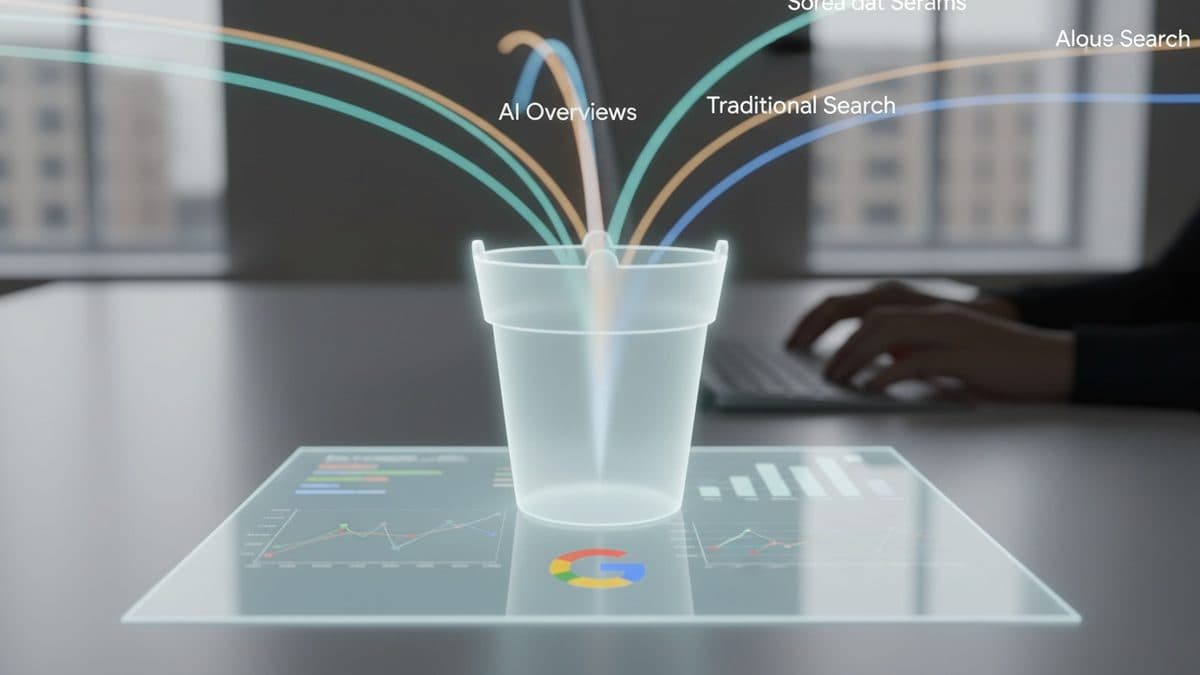
Search Console Doesn't Isolate AI Overviews Traffic: It All Lands in the Web Report
Google Search Central documentation confirms it: clicks from AI Overviews and AI Mode land in the same bucket as traditional search traffic in Search Console. There's no dedicated filter, and that changes how growth teams need to think about measurement.